Content Strategy 101

Content Strategy 101

A Beginner’s Roadmap to Success

Welcome to the exciting world of content strategy! If you’re completely new to this, don’t worry — you’re in the right place.

Content strategy might sound like a big, intimidating term, but at its core, it’s simply about creating a plan to share valuable information with the right audience in a way that benefits everyone. In this guide, I’ll break everything down step by step, so you can start building your own successful content strategy from scratch.

1. What is A Content Strategy?

1. What is Content Strategy?

Content strategy is a fancy way of saying, “Let’s make a plan for the stuff we post on our website and social media so it helps people and meets our goals.” It’s about creating and sharing content — like blogs, videos, social media posts, or emails — that connects with your audience and moves you closer to your objectives.

Here’s an example: Imagine you love baking. A content strategy for your baking blog might include sharing simple recipes, baking tips, or short how-to videos that teach people new skills while promoting your expertise.

 

Content strategy

Myth buster:

You don’t need to be a professional writer or tech wizard to create a successful content strategy. All you need is a bit of creativity and a clear plan.

2. Why Do You Need a Content Strategy?

Without a strategy, creating content can feel like throwing spaghetti at the wall to see what sticks. Here’s why having a plan is essential:

  • Build trust: Consistent, valuable content shows your audience you’re reliable.
  • Reach the right audience: A strategy helps you focus on people who care about your message.
  • Achieve your goals: Whether you need more sales, website visitors, or social media engagement, content strategy gives you a roadmap.

Think of it this way: A good content strategy is like a recipe. You wouldn’t bake a cake without knowing what ingredients to use or how long to bake it. The same goes for creating and sharing content!

3. Understanding Your Audience (Your "Who")

Content strategy for a new online business

The first step in content strategy is knowing your audience. Who are you trying to reach, and what do they care about?

How to identify your audience:

  • Start with simple questions: “Who would benefit from my content? What problems do they have, and how can I help?”
  • Use tools like surveys or casual conversations to gather insights.


Create an audience persona: This is like creating a character for your target audience. For example:

  • Name: Sarah
  • Age: 28
  • Interests: Fitness, healthy recipes, quick meal prep tips
  • Problem: Wants easy recipes for busy weekdays

You can make this persona as detailed as you can.  Think about hobbies, family life, work, even physical attributes.  Anything you can add to this persona will make it much easier to write to your audience.

Knowing your audience helps you create content that truly resonates.

4. Setting Your Goals (Your "Why")

Why are you creating content in the first place? 

Setting clear goals will keep you focused and motivated.

Examples of beginner-friendly goals:

  • Increase followers on Instagram by 100 in the next three months.
  • Publish at least one blog post per week to grow website traffic.
  • Share three helpful tips on social media each week to build engagement.

Pro tip: Make your goals SMART — Specific, Measurable, Achievable, Relevant, and Time-bound. For example, instead of saying “I want more followers,” say, “I want 100 new followers on Instagram in the next three months.”

5. Choosing Your Platforms (Your "Where")

Where should you share your content? The best platforms depend on your audience and goals.

Overview of popular platforms:

  • Instagram: Great for visuals and quick updates.
  • Blogs/Website: Perfect for long-form content like guides and articles.
  • Email Newsletters: Useful for building a direct connection with your audience.
  • YouTube/TikTok: Ideal for video content.

If you’re just starting out, pick 1-2 platforms where your audience is likely to be. For example, if your audience loves visual inspiration, Instagram or Pinterest might be a great starting point.

6. What Kind of Content Should You Create? (Your "What")

Creating content doesn’t have to be overwhelming. Start small and focus on what your audience needs.

Beginner-friendly content ideas:

  • Social media posts: Share tips, fun facts, or behind-the-scenes photos.
  • Simple blogs: Write about what you know, like a “How to” guide or a list of resources.
  • Short videos: Use your phone to create quick tutorials or share a story.

Remember, quality beats quantity. One helpful post is better than five rushed ones.

A Content strategy will save the day

7. How to Create a Simple Content Plan (Your "When")

A content calendar can make your life so much easier. It helps you stay organized and consistent.

Steps to create a content plan:

  1. Decide how often you’ll post. Start with something manageable, like 1-2 posts per week.
  2. Plan your topics in advance. For example, “Monday: Share a recipe, Thursday: Post a baking tip.”
  3. Use free tools like Google Calendar or Trello to organize your schedule.

Consistency is key. Even a small, steady effort can lead to big results over time.

8. Measuring Your Success (Your "How")

How do you know if your content strategy is working? Measuring your results will help you learn and improve.

Track these simple metrics:

  • Engagement: Likes, comments, shares.
  • Traffic: How many people visit your website or click on your links.
  • Followers: Growth on social media.

Most platforms offer basic analytics tools, like Google Analytics, to help you see what’s working and what’s not.

9. Overcoming Common Beginner Challenges

Starting something new can feel daunting, but here’s how to tackle common hurdles:

  • “I don’t have time”: Schedule your content creation in small chunks. Even 30 minutes a week can make a difference.
  • “I’m not creative enough”: Look for inspiration online and use free tools like Canva to create eye-catching designs.
  • “No one’s engaging with my content”: Stay patient. Focus on providing value, and the engagement will come with consistency.

And Finally...

Remember, every expert was once a beginner. Content strategy is a skill you build over time. Start small, stay consistent, and don’t be afraid to experiment. The key is to keep learning and adapting as you go.

Your first steps:

  1. Define your audience.
  2. Choose a platform.
  3. Post your first piece of content.

You’ve got this!

Bonus Resources

Your Content  Creation Checklist. Click Here.

For more information on content strategy, check these resources:


Here’s a little transparency: My website contains affiliate links. This means if you click and make a purchase, I may receive a small commission. Don’t worry, there’s no extra cost to you. It’s a simple way you can support my mission to bring you quality content.”
On-Page SEO for Beginners

On-Page SEO for Beginners

7 Easy Steps to Optimize Your Website for on-page SEO

Getting your website noticed starts with learning the basics of on page SEO. It’s one of the most beginner-friendly ways to improve your rankings and attract the right visitors.

On-page SEO is one of the most critical factors in ensuring your website performs well in search engine rankings. It involves optimizing various elements on your website pages to make them more search engine friendly.

For beginners, mastering on-page SEO can seem daunting, but by following these simple steps, you can start to improve your site’s visibility and attract more traffic.

This guide breaks down on-page SEO into manageable tasks that anyone can implement.

on-page seo

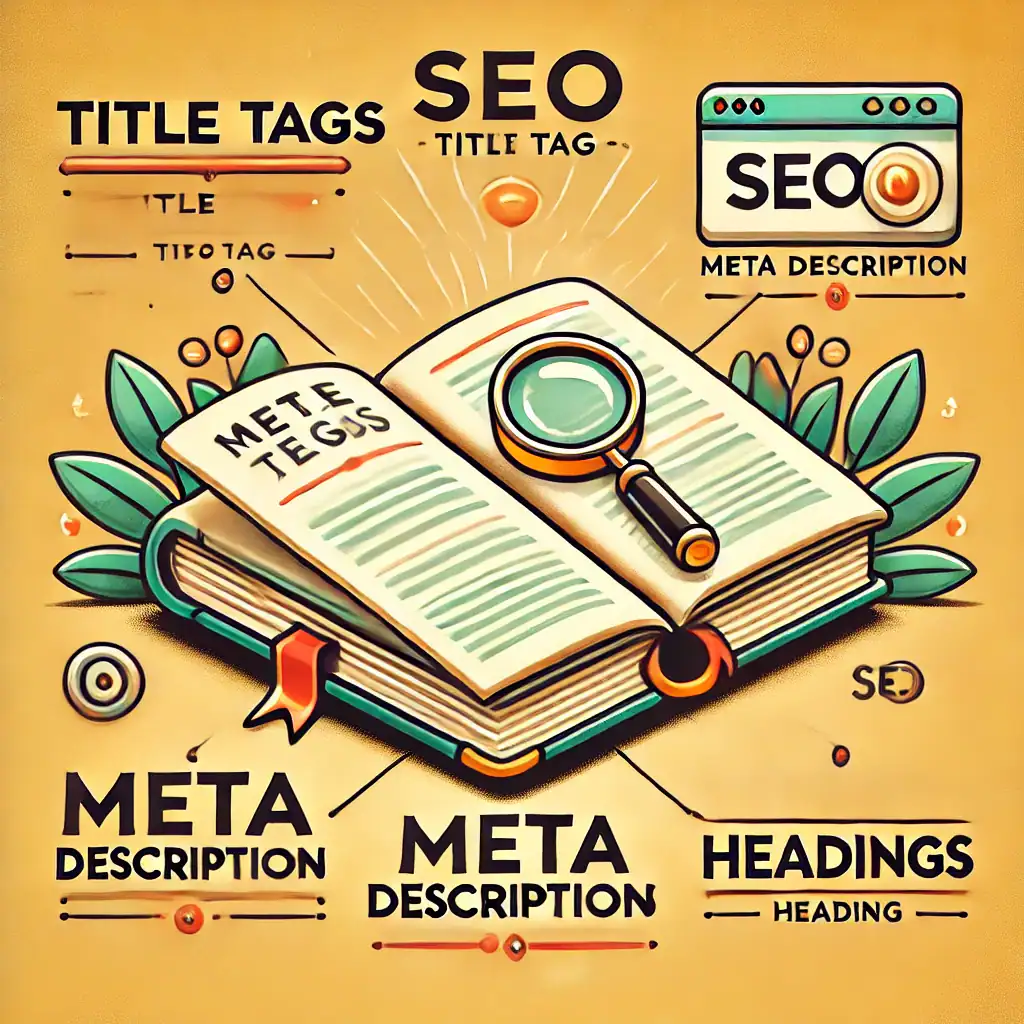
Step 1: Optimize Your Title Tags

The title tag of a page is one of the most important on-page SEO elements. It’s the text that appears in the search engine results pages (SERPs) as the clickable headline for a given result and is crucial for usability, SEO, and social sharing.

  • Best Practices: Keep your titles under 60 characters to ensure they display properly on SERPs. Include your target keywords towards the beginning of the title and ensure it accurately reflects the content of the page.

Step 2: Master Meta Descriptions

Including your main keyword in the title tag and meta description is a classic on page SEO technique—it helps search engines know what your page is about and encourages users to click.

  • Best Practices: Keep meta descriptions between 150-160 characters. They should provide a concise summary of the content and include relevant keywords that match the search intent.

Step 3: Utilize Header Tags Properly

Headers help organize your content not just for readers but for search engines too. Using headers (H1, H2, H3) correctly can help boost your SEO.

  • Best Practices: Use the H1 tag for your main title and use H2s and H3s for subsections. Include keywords in your headers, but keep them natural and useful for the reader.

Step 4: Optimize Your Images

Links in image

Images can attract a significant amount of traffic from image search engines. However, search engines cannot view images directly but rely on accompanying text data.

  • Best Practices: Use descriptive, keyword-rich file names for your images. Always fill out the alt attribute (alt text) to provide a clear description of what the image is about for search engines and for accessibility purposes.

Step 5: Improve URL Structure

The structure of your URLs can affect both your page’s ranking and user experience. A URL should be easy to understand and manage for both users and search engines.

  • Best Practices: Keep URLs short and relevant to the page content and include keywords. Use hyphens to separate words, making them easier to read.

Step 6: Increase Site Speed

Page speed is a ranking factor, and faster pages provide a better user experience. Slow websites tend to have higher bounce rates and lower conversion rates.

  • Best Practices: Optimize image sizes, leverage browser caching, and minimize the use of large files and plugins that can slow down page load times. Tools like Google’s PageSpeed Insights can provide recommendations to improve your site’s speed.

Step 7: Internal Linking

Internal linking helps search engines understand the structure of your website and the relevance of pages. It also helps with website navigation and can potentially increase the overall SEO of your site.

  • Best Practices: Use descriptive anchor text that gives an indication of the linked page’s content. Link to important pages often to show search engines and users the hierarchy and value of these pages.

It might feel like there’s a lot to remember, but these on page SEO tweaks quickly become second nature with practice.

And Finally...

On-page SEO is fundamental to improving your website’s search engine visibility and user experience. By systematically addressing each component—from titles and headers to links and page speed—you can build a stronger, more competitive presence in search engines.

Remember, on-page SEO is not a one-time task but an ongoing part of maintaining your website. Regular reviews and adjustments to your on-page strategies based on performance metrics can lead to sustained improvements over time.

With these beginner steps, you can start to optimize your site effectively and lay a solid foundation for more advanced SEO tactics in the future.

I hope this helped clear up what on page SEO involves and how it can improve your site’s visibility. Are you starting to use any of these tips on your own site yet? Maybe you’ve got questions about what to focus on first? I’d genuinely love to hear about your progress, challenges, or tips in the comments below. Let’s learn together—step by step.

If you’re looking for an easy-to-follow training platform that covers SEO and more, I highly recommend Wealthy Affiliate—it’s where I learned the ropes myself, and their step-by-step approach suits beginners brilliantly.

If you’d like to read more about on-page SEO, have a look at these resources.

Google’s SEO Starter Guide

Ahrefs: On-Page SEO Guide

Moz Beginner’s Guide to SEO

Here’s a little transparency: My website contains affiliate links. This means if you click and make a purchase, I may receive a small commission. Don’t worry, there’s no extra cost to you. It’s a simple way you can support my mission to bring you quality content.”

How To Develop A Blog Content Strategy

How To Develop A Blog Content Strategy

Blogging isn’t just about sharing your thoughts; it’s also one of the most powerful tools for online marketing success. 

Creating a well-defined blog content strategy is essential for bloggers aiming to provide consistent and valuable content to their readers.

Whether you’re building a personal brand, promoting your business, or turning your passion into income, your blog can help you connect with the right audience and grow your presence online.

Here’s how you can create a blog content strategy that not only shares your message but also builds your marketing success.

Key Components Of An Effective Blog Content Strategy

An effective blog content strategy involves understanding your target audience, setting clear objectives, and maintaining a content calendar

Step 1: Consistency Builds Trust

Consistency is your secret weapon in online marketing. Regular blog posts show your readers—and potential customers—that you’re reliable and invested in delivering value. You don’t need to post every day, but sticking to a schedule (weekly, biweekly, or monthly) helps build trust.

Think of it as meeting a friend for coffee. If you keep showing up at the same time, they’ll start looking forward to it. Over time, your readers will too.

Step 2: Define Your Blog’s Purpose

To succeed in online marketing, your blog needs a clear purpose. Ask yourself:

  • Are you trying to promote your business or product?
  • Do you want to become an expert in your field?
  • Is your goal to earn through ads or affiliate marketing?

Whatever your aim, having a purpose helps you create content that moves you closer to your marketing goals.

Step 3: Understand Your Audience

Marketing success depends on knowing your audience. Who are they? What are their challenges, dreams, or needs?

For example:

  • If you’re a fitness coach, your audience might be people looking to get healthier.
  • If you’re a small business owner, you might target local customers or other business owners.

Understanding your audience helps you create content that speaks directly to them. When your readers feel like you “get” them, they’re more likely to trust you—and buy from you.

ae56c590 1ad4 404f b484 8f14d91ff531

Step 4: Create SMART Goals

SMART goals are:

Specific,

Measurable,

Achievable,

Relevant,

Time-bound

Instead of saying, “I want my blog to grow,” try something like:

  • Publish one post a week.
  • Get 500 page views in the next three months.
  • Generate your first sale through your blog by the end of the year.

These bite-sized, realistic goals give you direction and let you track your progress.

Step 5: Plan Your Content Strategically

Your blog content should support your marketing goals. Here’s how to plan it:

1. Brainstorm Ideas

Start by listing all the topics your audience might find helpful. Think about their pain points, common questions, and the solutions you can offer. For example:

  • A fashion blogger could write “10 Affordable Workwear Looks.”
  • A digital marketer might post “5 Free Tools to Boost Your SEO.”

2. Organize With an Editorial Calendar

An editorial calendar helps you schedule your posts. It’s like having a to-do list for your content. Whether you use a digital tool or a notebook, planning ahead keeps you consistent and reduces stress.

3. Mix Evergreen and Timely Content

  • Evergreen content stays relevant for years, like “How to Save Money on Groceries.”
  • Timely content taps into trends or current events, like “Top Winter Jackets for 2024.”

A mix of both keeps your blog fresh and attracts a variety of readers.

Step 6: Write to Connect, Not Just Inform

When you’re blogging for marketing success, your tone matters. Speak to your audience like a friend, not a lecturer. Avoid industry jargon, and keep things simple and relatable.

Focus on Solutions

Make your content valuable by solving problems. If you run a photography business, you could write “How to Take Better Photos With Your Smartphone.”

Content that’s helpful builds trust and positions you as an expert.

Include a Call-to-Action (CTA)

At the end of each post, guide your readers to take the next step. For example:

  • “Sign up for my newsletter for weekly tips.”
  • “Check out my product page to learn more.”

A clear CTA helps turn readers into customers or subscribers.

Step 7: Build Relationships Through Engagement

Blogging for marketing success is about more than just publishing posts—it’s about creating relationships.

Encourage Interaction

Invite your readers to comment, share, or ask questions. Respond to their feedback thoughtfully—it shows you value their time and opinions.

Use Social Media

Social media is like the megaphone for your blog. Share your posts on platforms your audience uses, whether that’s Instagram, LinkedIn, or Facebook. Social media also lets you have more casual, two-way interactions with your followers.

Partner With Other Bloggers or Brands

Collaborating with others in your niche helps you reach a wider audience. Guest blogging, co-creating content, or cross-promoting each other’s posts can introduce your blog to new readers.

Step 8: Track and Adjust

track and adjust

To succeed in online marketing, you need to know what’s working (and what’s not). Use tools like Google Analytics to track metrics such as:

  • Which posts get the most views.
  • How long readers stay on your blog.
  • Where your traffic is coming from (social media, search engines, etc.).

Use this data to refine your content strategy. Double down on what your readers love and adjust what isn’t working.

And Finally...

Your blog has the power to be so much more than a creative outlet—it can be a cornerstone of your online marketing success.

By implementing a solid blog content strategy, you can ensure your blog remains relevant and continues to grow its readership

By staying consistent, understanding your audience, and delivering valuable content, you can turn your blog into a tool that builds trust, drives traffic, and boosts your goals.

The key is to start small, keep learning, and enjoy the process. Every post is a step closer to creating a thriving online presence!

For more information on creating a blog content strategy try these sites:-

1.  Mailchimp’s Guide to Building a Content Strategy

2.  HubSpot’s Guide on Developing a Content Strategy

I’d love to hear about your experiences! How have you developed your own blog content strategy? Share your thoughts and tips in the comments below.

Here’s a little transparency: My website contains affiliate links. This means if you click and make a purchase, I may receive a small commission. Don’t worry, there’s no extra cost to you. It’s a simple way you can support my mission to bring you quality content.”
Backlinking For Beginners

Backlinking For Beginners

Backlinks: What They Are and Why They Matter for Websites

Navigating the world of SEO can be daunting. One fundamental aspect to grasp is backlinking for beginners, which plays a pivotal role in enhancing your website’s visibility

 They might sound complicated, but don’t worry—they’re pretty simple once you understand them. Let’s break it down

What Are Backlinks?

Imagine you’re making a website about your favorite hobby—say, cycling. A backlink happens when another website adds a link to your website on their page. It’s like someone saying, “Check out this awesome cycling site!”

In the world of the internet, backlinks are super important because they help people find your website, and they tell search engines like Google that your site is worth checking out.

cycling

Why Are Backlinks Important

Think of backlinks as online shoutouts. The more websites that link to your site, the more popular and trustworthy your website looks. This means:

Better Search Rankings:

Websites with lots of good backlinks often show up higher on Google and other search engines. Higher ranking means more people will see and visit your site.

More Traffic:

If someone clicks on a backlink to your site, they’re visiting your page. That’s like having a sign pointing people to your cycle park.

Trust & Credibility:

When trusted websites link to you, it’s like a seal of approval, saying your site is reliable and interesting.

Good Backlinks vs. Bad Backlinks

Backlinks

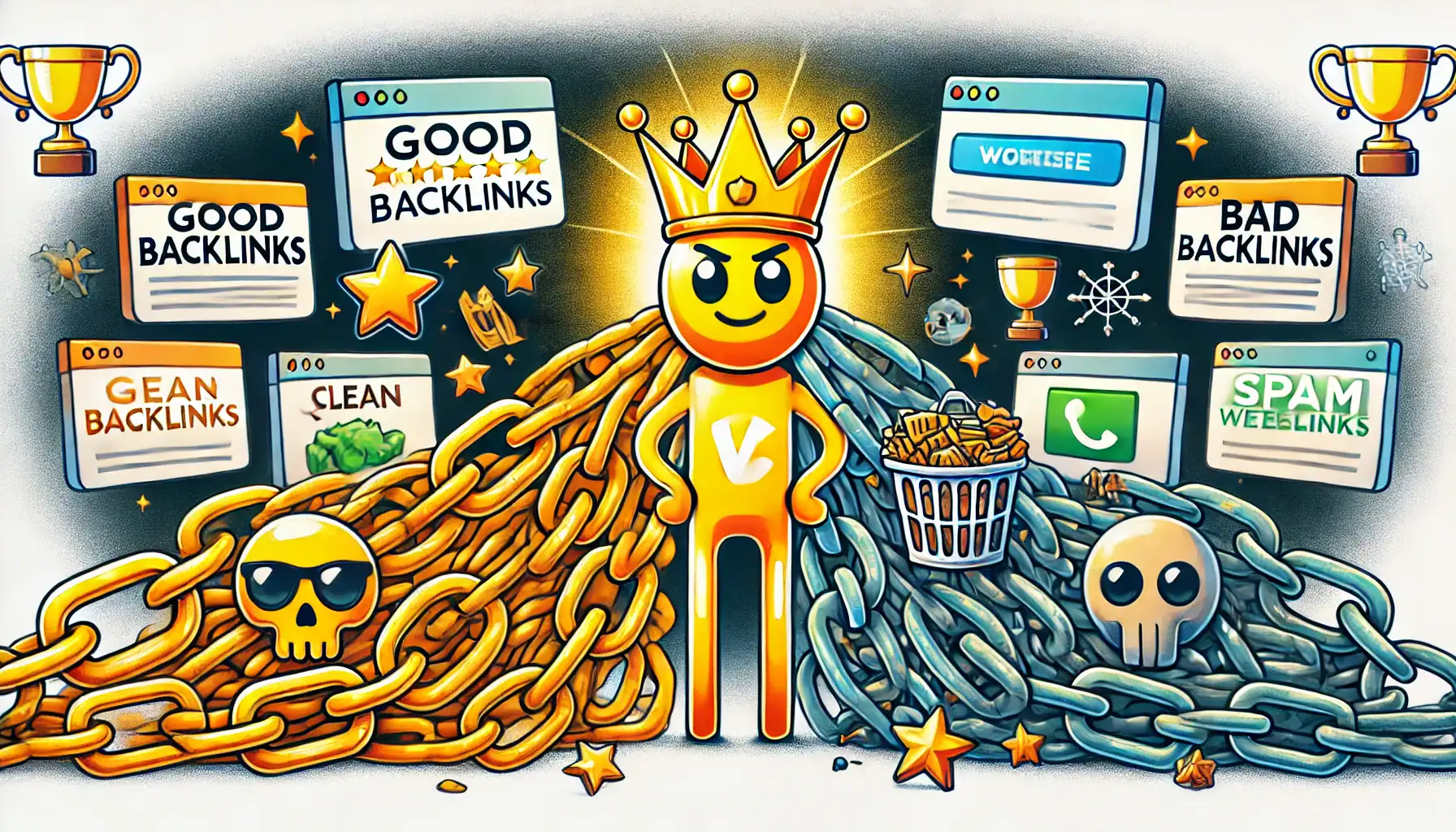
Not all backlinks are created equal. Some are helpful, while others can actually hurt your site. 

Good Backlinks:

These come from popular, trusted websites. For example, if a big cycling blog links to your site, that’s great news! It shows your site has valuable info.

Bad Backlinks:

These come from sketchy or low-quality websites. It’s like a random person you don’t trust giving you a shoutout. It might actually make people doubt you!

How Can You Get Backlinks?

Here are a few ways to build backlinks to your website:

Create Great Content:

If your website has  unique, or helpful content, people will naturally want to share it and link to it. For example, write about cycling tricks or post tutorials.

Collaborate:

Reach out to other websites in your niche. For instance, you could ask another cycling blog to link to your site if you have an article that adds value to their readers.

Guest Posts:

Write a blog post for another website. In return, they might let you add a link to your site in the post.

Share Your Website:

Post your content on social media or forums. The more people who see it, the more likely they’ll link to it.

Why Should You Care About Backlinks?

Building backlinks is like making friends for your website. The more quality backlinks you have, the stronger your website becomes in the eyes of search engines and visitors. If you’re serious about making your site awesome, backlinks are one of the best ways to grow.

And Finally...

So, go ahead—create great content, connect with other websites, and let the backlinks start rolling in. Soon, your website could be the go-to spot for your favorite topic!

If you’d like to read more about linking try reading this article at moz.com

Embarking on the journey of backlinking for beginners can be both exciting and challenging. Have you tried any of these strategies? Share your experiences or questions below to help foster a community of learners

Here’s a little transparency: My website contains affiliate links. This means if you click and make a purchase, I may receive a small commission. Don’t worry, there’s no extra cost to you. It’s a simple way you can support my mission to bring you quality content.”

What is a keyword tool about?

What is a keyword tool about?

What is a keyword tool? If you’re new to creating content or trying to get your website noticed, you’ve probably heard people talk about keyword research. But what does that actually mean? And more importantly, what is a keyword tool and why do so many website owners rely on them?

This beginner-friendly guide will introduce you to keyword tools, explain their importance, and discuss some popular examples, including Jaaxy, which is my favourite.. Let’s dive in!

Understanding Keyword Tools

A keyword tool is a software or online platform that helps you find words or phrases that people use in search engines when looking for information, products, or services.

These tools provide valuable insights such as how often a keyword is searched, how much competition there is for that keyword, and sometimes even how difficult it might be to rank for that keyword.

girl at computer

Why Use a Keyword Tool?

The main reason to use a keyword tool is to optimize your online content so that it reaches the right audience. In short, this means whatever you write needs to be found by the right people.  Here are a few benefits of using keyword tools:

Better Targeting:

By understanding what terms your potential audience is searching for, you can tailor your content to meet their needs more effectively.

Increased Traffic:

Proper keyword research and implementation can significantly improve your site’s visibility and bring more visitors.

Competitive Edge:

Keyword tools can show you the terms your competitors are targeting, giving you the insight needed to differentiate your content and capture more market share.

Popular Keyword Tools

group learning seo
  1. Google Keyword Planner: This free tool is integrated with Google Ads and is great for beginners to start understanding keyword volumes and competition. It provides basic insights and is an excellent first step into keyword research.
  2. Jaaxy: This is one I use. Jaaxy offers comprehensive keyword data, including search volume, competition, potential profitability, and more. It’s particularly popular among affiliate marketers because it helps find niche keywords that could be easily ranked for.
  3. Ubersuggest: Created by Neil Patel, this tool provides keyword suggestions, difficulty scores, and even content ideas. It’s user-friendly and includes both free and paid versions.
  4. Ahrefs Keywords Explorer: Ahrefs offers one of the most detailed keyword reports on the market, giving information on keyword difficulty, search volume, and the estimated number of clicks. It’s ideal for those who are ready to dive deeper into SEO.
  5. Moz Keyword Explorer: Moz provides keyword suggestions, SERP analysis, and more. It’s known for its easy-to-understand metrics and helpful insights into how you can improve your SEO strategy.

There are many free and paid options out there, and choosing the right one depends on your needs. If you’ve ever wondered what is a keyword tool supposed to do beyond spitting out search terms, the answer is simple: it helps you understand what your audience is looking for.

How to Use a Keyword Tool

Using a keyword tool is straightforward. Here’s a simple step-by-step process:

  1. Enter a Basic Term: Start with a broad term related to your content or industry.
  2. Review the Suggestions: The tool will provide a list of related keywords, along with important metrics such as monthly search volumes and competition levels.
  3. Select Your Keywords: Choose keywords that best fit your content goals based on their relevance and the data provided.
  4. Implement Keywords: Use these keywords strategically in your website’s content, meta descriptions, and even in your marketing materials.

Tips for Effective Use

girl with laptop
  • Look for Long-Tail Keywords: These are longer and more specific keyword phrases that usually have less competition and can drive more targeted traffic.
  • Consider Search Intent: Understanding why someone might be searching for a keyword (to buy, to learn, etc.) can help you create more relevant content.

Keep Learning: Keyword trends can change, so it’s important to continually use keyword tools to stay updated.

Conclusion

Keyword tools are invaluable for anyone looking to improve their online visibility and connect more effectively with their audience.

Whether you’re a blogger, an online shop owner, or a content creator, these tools can help guide your content strategy in the right direction. Remember, the goal of using keyword tools isn’t just to increase traffic—it’s to attract the right kind of traffic that will engage with your content and return for more.

Whether you’re writing a blog post, building a sales page, or planning your content strategy, understanding what a keyword tool is and how to use it can give your site a better chance of being found online.

Start exploring these tools and watch how they can transform your online presence!

Have you used a keyword tool before, or are you just starting to explore how they work? I’d love to hear how you’re getting on! Maybe you’ve found one that’s really helpful, or you’ve got a question about how to get started. Pop a comment below and share your experience—it might just help someone else who’s figuring it all out too.

Here’s a little transparency: My website contains affiliate links. This means if you click and make a purchase, I may receive a small commission. Don’t worry, there’s no extra cost to you. It’s a simple way you can support my mission to bring you quality content.”