Top 10 SEO Mistakes to Avoid as a Beginner

Top 10 SEO Mistakes to Avoid as a Beginner

A Beginner’s Guide to Better SEO

Learning how to get seen online can feel like a bit of a minefield, can’t it? One of the best ways to start is by understanding the top 10 SEO mistakes to avoid as a beginner. It’s easy to miss a trick or two when you’re just getting started—but avoiding these pitfalls can give your website a real head start.

Whether you’re building a blog, an online shop, or a business site, search engines play a big role in helping people find you. This guide will walk you through the most common beginner SEO errors, so you can sidestep them and make your site shine.

1. Ignoring Keyword Research

Mistake: Many beginners underestimate the importance of keyword research and either use overly generic keywords or keywords that are too competitive.

Solution: Spend time using tools like Jaaxy, Google Keyword Planner or Moz Keyword Explorer to find relevant keywords that have a good balance of search volume and competition. Focus on long-tail keywords as they are less competitive and more targeted.

Don’t forget to look at the “People Also Ask” and “Related Searches” sections in Google for extra ideas. These can be gold for finding useful long-tail keywords.
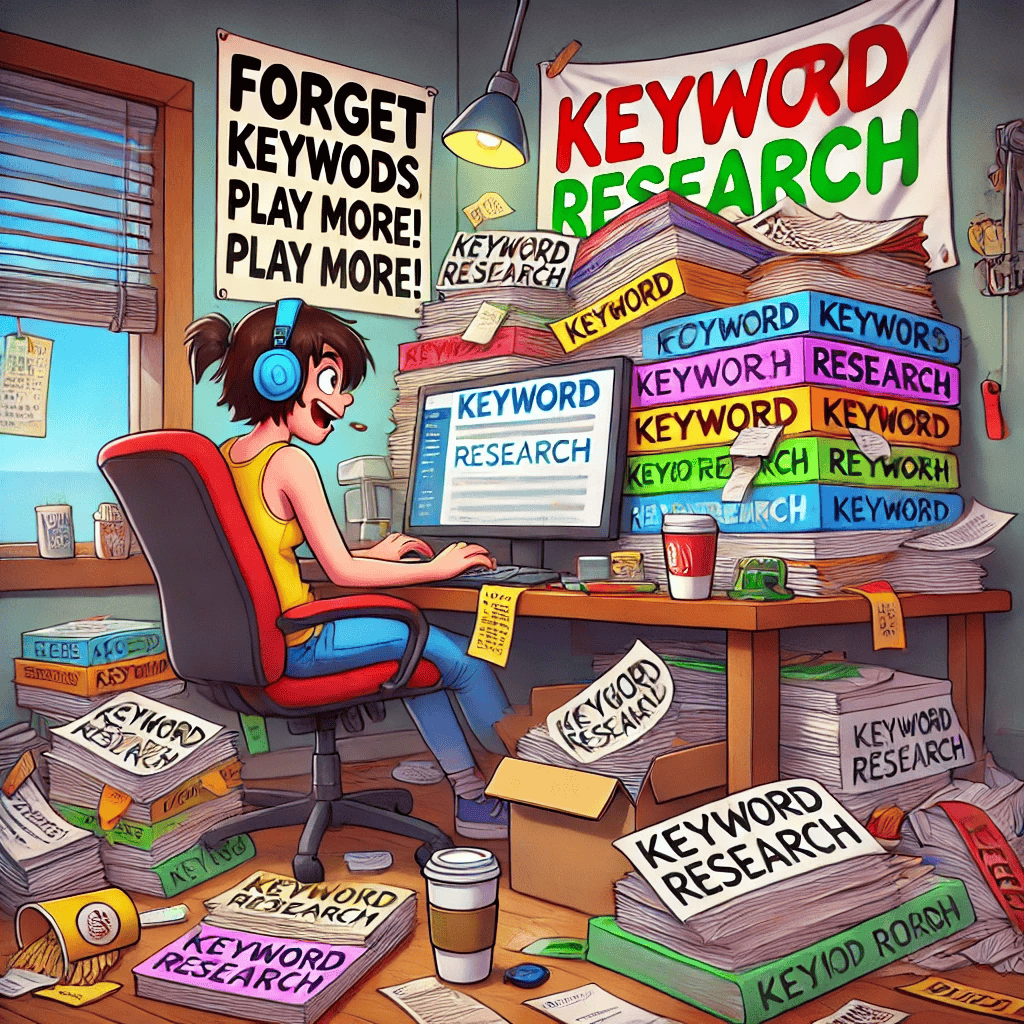
ignoring keyword

2. Overlooking Title Tags and Meta Descriptions

Mistake: Neglecting to customize title tags and meta descriptions can lead to poor click-through rates because these elements directly impact how your pages are viewed in search results.

Solution:Title tags and meta descriptions are the snippets that show up in search results. A good meta description and title tag with your keyword can make all the difference in click-through rates.  Also, try to make these sound appealing and informative—like mini advertisements for your content.

 Keep title tags under 60 characters and meta descriptions about 155 characters.

3. Creating Low-Quality Content

Mistake: Publishing content that is not useful or relevant to your audience can hurt your SEO, as quality content is a major ranking factor for search engines.

Solution: Focus on creating content that provides value to your readers. Ensure it is informative, well-written, and relevant to their interests. Always aim for originality and depth in your content to engage users and encourage them to spend more time on your site.

4. Neglecting Mobile Optimization

Mistake: With the increasing use of mobile devices to access the internet, ignoring mobile optimization can result in a significant loss of traffic.

Solution: Ensure your website is responsive, meaning it adjusts smoothly to different screen sizes. Google’s Mobile-Friendly Test can help you identify areas of your site that need improvement for mobile usage.

5. Forgetting About Local SEO

Mistake: Beginners often focus on global SEO and forget about the potential of local search, which can be a significant traffic driver especially for small businesses.

Solution: Optimize your website for local SEO by including local keywords, registering with Google My Business, and adding your business to local directories.

6. Using ‘Black Hat’ SEO Techniques

Mistake: Resorting to unethical SEO practices like keyword stuffing, cloaking, or using private link networks can lead to penalties from search engines.

Solution: Stick to ‘white hat’ SEO techniques. Focus on your human audience and follow search engine guidelines to build your SEO strategy.
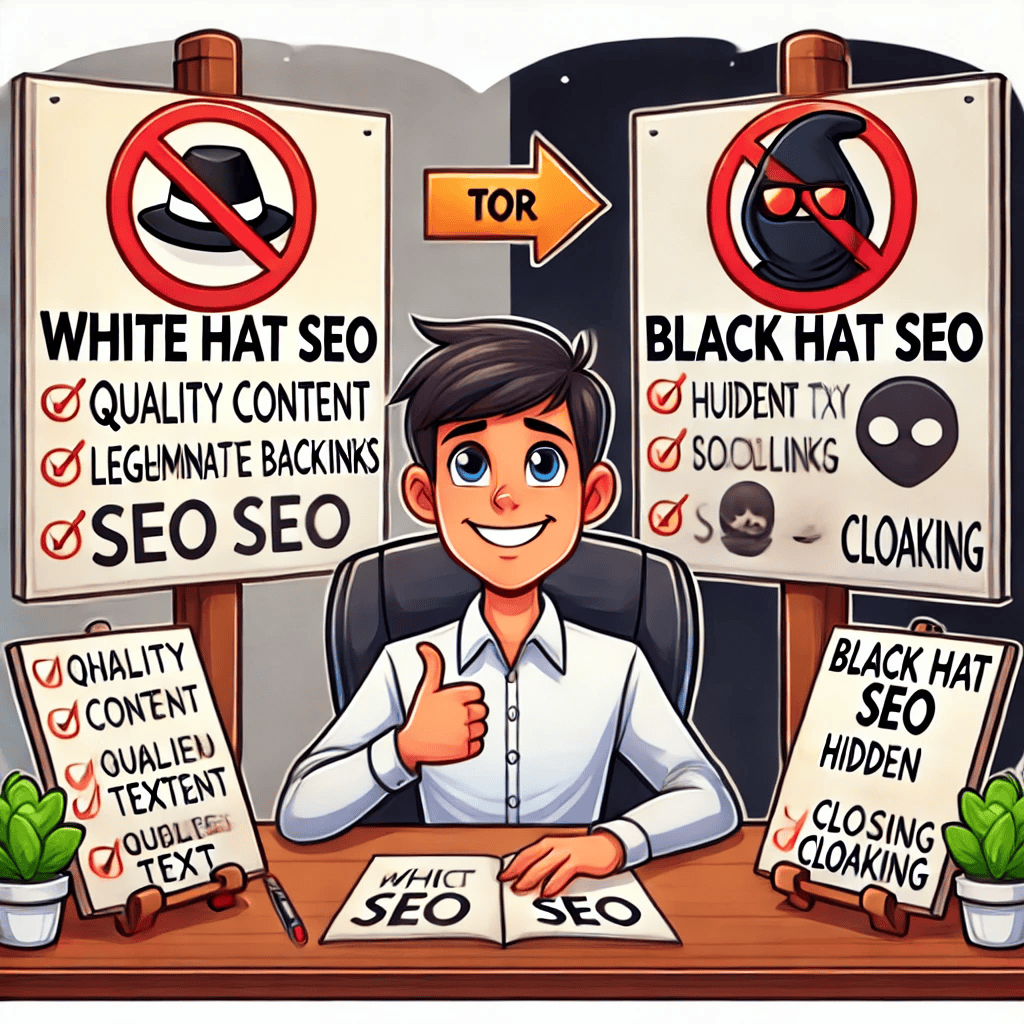
black hat

7. Ignoring Analytics

Mistake: Not setting up or reviewing analytics to track website traffic and behavior patterns leads to missed opportunities for optimization.

Solution: Use tools like Google Analytics to monitor your website’s performance. Analyze visitor behavior, and use these insights to optimize your site.

8. Poor URL Structure

Mistake: Using URLs that are long, have no relevance to the content, or are filled with unnecessary parameters can confuse search engines and users.

Solution: Create simple, readable URLs that include keywords and convey content information at a glance.

9. Inadequate Link Building

Mistake: Ignoring the importance of building internal and external links, or building links too aggressively, can impact your SEO.

Solution: Develop a strategy to gain quality backlinks naturally through great content, guest blogging, and partnerships. Also, use internal linking wisely to help search engines and users navigate your site.

10. Not Updating Content

Mistake: Failing to update or refresh old content can lead to a drop in rankings as search engines prefer fresh, relevant content.

Solution: Regularly review and update your existing content to keep it current and relevant. This can involve updating statistics, adding recent information, or revising outdated details.

old fashioned

And Finally...

If you’re just beginning your SEO journey, I hope this list of the top 10 common SEO mistakes to avoid as a beginner gives you some clarity and confidence. We’ve all made a few of these—I know I did when I started!

One final tip—SEO is always evolving. Keep learning and stay flexible as Google updates its algorithms. Don’t aim for perfection, just keep improving.

Are there any mistakes you’ve noticed yourself making? Or maybe you’ve found a clever fix that others would find helpful? Pop a comment below—I’d love to hear about your experience. Your insight might just give someone else the boost they need.

And if you’re after a step-by-step place to learn SEO (without feeling overwhelmed), I personally recommend Wealthy Affiliate—it’s where I started, and it’s still a fantastic place to grow. Click the image below to sign up for your free account.

wealthy affiliate going up

Here’s a little transparency: My website contains affiliate links. This means if you click and make a purchase, I may receive a small commission. Don’t worry, there’s no extra cost to you. It’s a simple way you can support my mission to bring you quality content.”
How to Do Keyword Research

How to Do Keyword Research

A Beginner’s Guide to Finding the Right Keywords

How to do keyword research is something every beginner should learn when starting out with SEO. It’s not just about traffic—it’s about attracting the right kind of visitors to your website.

Keyword research is a fundamental part of Search Engine Optimization (SEO). It involves identifying the terms and phrases that potential customers are searching for and optimizing your content accordingly to meet those needs.

For beginners, mastering how to do keyword research is essential not only to drive traffic but to attract people who are genuinely interested in what you offer. This guide will walk you through the process, from understanding keyword basics to implementing them in your SEO strategy.

keyword research

Understanding Keywords

Before diving into research, it’s crucial to understand what keywords are and why they matter:

  • Keywords: These are words or phrases that users enter into search engines to find information. They can be as short as one word or as long as a sentence, known as “long-tail keywords.”
  • Importance of Keywords: Keywords help determine where your content appears in search engine results pages (SERPs) or the long list of different pages for you to choose from when you do a search in Google! The better your content aligns with what users are searching for, the higher your potential to rank well.

Step 1: Brainstorming Potential Keywords

Start by listing topics relevant to your business or website. Consider what products or services you offer, and think about the questions or problems your potential customers might have that relate to your offerings.

  • Think Like a Customer: Put yourself in your customers’ shoes—what would you type into a search engine?
  • Use Topic Buckets: Group similar ideas together to create categories. For example, a pet care shop might have categories like “pet grooming,” “pet nutrition,” and “pet training.”

Step 2: Use Keyword Research Tools

There are several tools available that can help refine your keyword list and show you data on search volume and competition:

  • Google Keyword Planner: Great for beginners and integrated with Google Ads. It provides data on search volume and competition for potential keywords.
  • Ubersuggest: A tool by Neil Patel that offers keyword suggestions, search volume data, and insights into the competition. 
  • Jaaxy: This is the one I use and and very happy using.
  • SEMrush and Ahrefs: More advanced tools that provide in-depth keyword data and competitive analysis.

Step 3: Analyzing Keyword Metrics

Understanding the data you retrieve from keyword research tools is crucial:

  • Search Volume: Indicates how many times a keyword is searched per month. High search volumes indicate high interest but can also mean high competition.
  • Keyword Difficulty/Competition: Measures how hard it would be to rank for a keyword. Lower scores mean less competition.
  • Keyword Relevance: Ensure the keywords are relevant to your content. Irrelevant keywords can attract the wrong type of traffic.

Step 4: Search Intent

SEO and keyword

Search intent refers to the reason behind a search query. Understanding intent helps you tailor your content to meet the needs of searchers:

  • Informational: The searcher is looking for information, e.g., “how to train a puppy.”
  • Navigational: The searcher is trying to locate a specific website or page.
  • Transactional: The searcher is ready to buy or engage in a transaction, e.g., “buy puppy food online.”
  • Commercial Investigation: The searcher is considering a purchase and comparing options, e.g., “best dog food for sensitive stomachs.”

Step 5: Implementing Keywords into Your Content

Once you’ve selected your keywords, the next step is to implement them naturally into your content:

  • Page Titles and Meta Descriptions: Incorporate main keywords to improve click-through rates from search engines.
  • Headings and Subheadings: Use relevant keywords to organize content and help readers and search engines understand the main topics.
  • Body Text: Use keywords naturally within the content. Avoid keyword stuffing as it can lead to penalties from search engines.

Step 6: Evaluating and Adjusting

Keyword effectiveness isn’t static; it can change with trends, seasonality, and competitor actions. Regularly review the performance of your keywords and make adjustments as necessary:

  • Monitor Rankings: Use tools like Google Analytics and Google Search Console to track how your pages are performing in SERPs.
  • Refine and Expand: Based on performance, you may need to refine your keywords or expand them to include new relevant terms.

And Finally...

Learning how to do keyword research takes a bit of time, but it’s absolutely worth the effort. Understanding how people search helps you meet their needs and grow your online presence more effectively.

If you’re just starting out, focus on clarity and consistency. Take small steps, experiment with tools, and don’t worry about getting everything right first time.

Have you tried doing keyword research yet? What tools do you prefer? Or maybe you’ve got a question about where to begin? Pop your thoughts in the comments—I’d love to hear where you’re at and help if I can!

Here’s a little transparency: My website contains affiliate links. This means if you click and make a purchase, I may receive a small commission. Don’t worry, there’s no extra cost to you. It’s a simple way you can support my mission to bring you quality content.”

What Is Search Engine Optimization about?

What Is Search Engine Optimization about?

And Why Is It Important for Beginners?

What is search engine optimization, and why should you care? It’s a term that often sounds intimidating to those just stepping into the world of digital marketing or setting up their own websites.

However, understanding the basics of SEO is not just beneficial but crucial if you want to increase the visibility of your website and attract more visitors. In this guide, we will break down what search engine optimization is, why it matters, and how it can help you achieve your online goals.


intimidating seo

What Is Search Engine Optimization? (SEO)

Search engine optimization (SEO) involves optimising your website so that it ranks higher in search engine results pages (SERPs) like Google or Bing. This optimisation is crucial because the higher your website ranks for relevant keywords and phrases, the more likely you are to attract attention and new visitors from your target audience.

Core Components of SEO: Or, The Main Parts!

SEO can be broken down into three main components:

On-Page SEO:

This refers to all the measures you can take directly within your website to improve its position in the search rankings.

This includes optimizing your content, improving your meta descriptions and title tags, and using HTML tags to emphasize certain content.

Off-Page SEO:

This involves all the actions taken outside of your own website to impact your rankings within search engine results pages.

Primarily, this involves links pointing to your site from elsewhere on the internet. The number of backlinks and their quality help to build your site’s reputation and authority.

Technical SEO:

This area focuses on improving the technical aspects of your website to increase the ranking of its pages in the search engines.

It includes improving site speed, ensuring your site is easy to crawl (for search engines), making sure that your site is secure, and creating a strong site architecture.

Why SEO Matters

The internet is a vast place, and without SEO, your site might as well be invisible. Here are a few reasons why SEO is crucial:

  • Visibility and Rankings: One of the most important functions of SEO is increasing visibility, which means making it easier for prospects to find you when they search for something you have to offer. Visibility directly correlates to your ranking.
  • Web Traffic: SEO also helps to increase web traffic. By optimizing your site, you improve your chances of appearing in top search results, which makes it more likely that potential customers will click through to your site.
  • Credibility and Trust: Websites that appear higher in the search results are viewed as more credible and trustworthy. Over time, by improving your SEO, you can work on building trust, which is crucial for attracting and retaining customers.
  • User Experience: Good SEO involves providing a positive user experience that is key to improving engagement and ultimately conversions on your website.

Common Misconceptions About SEO

As a beginner, you might encounter several misconceptions regarding SEO. It’s important to clear these up:

  • SEO is a one-time task: SEO is an ongoing process. The search engine algorithms are constantly changing, and your competitors are also optimizing their sites. Staying on top of SEO means continuously monitoring and adjusting your efforts.
  • SEO is all about ranking: While rankings are important, they’re not the sole purpose of SEO. Effective SEO focuses on enhancing both the quantity and quality of incoming traffic.
  • Keywords are the only SEO technique that matters: Keywords are fundamental to SEO, but they are not the only thing that matters. A holistic SEO strategy includes technical SEO, content marketing, link building, and user experience optimizations.

And Finally...

What is search engine optimization really about? It’s not just about being found, but about being found by the right people. SEO is a complex field, but it’s also one that’s rewarding to master. By starting with the basics and progressively deepening your understanding, you can significantly improve your website’s performance in search results.

Whether you’re running a personal blog, a small business site, or a large ecommerce platform, the principles of SEO apply to you. Start implementing what you’ve learned today, and watch as your website begins to climb the search rankings, attract more traffic, and generate more business.

Friendly seo monster

SEO doesn’t have to be scary. It’s the help you need to be seen on the search engines.

If you’re curious to learn more, Google’s SEO Starter Guide is a great place to start

Have you started using SEO techniques on your site yet? Or maybe you’ve heard of it but not sure where to begin? I’d love to hear what stage you’re at in your online journey. Pop your thoughts or questions in the comments—let’s get learning together!


Here’s a little transparency: My website contains affiliate links. This means if you click and make a purchase, I may receive a small commission. Don’t worry, there’s no extra cost to you. It’s a simple way you can support my mission to bring you quality content.”
10 Reasons to Understand the Importance of SEO for Business

10 Reasons to Understand the Importance of SEO for Business

If you’re running a website or thinking about starting an online business, understanding the importance of SEO for business is essential. It’s not just about getting found on Google—it’s about building trust, attracting the right visitors, and creating long-term growth online.

SEO might sound technical, but there are plenty of beginner-friendly tools and resources to help you get started. Hiring an SEO expert or using platforms like Google Search Console(a much cheaper option as it’s free!) can set you on the right path.

By investing in SEO, you’re investing in the long-term success of your business. Start optimizing today, and you’ll soon see the difference it makes!

So, what’s this SEO thing everyone keeps saying is so important?

At its core, SEO, or Search Engine Optimization, is all about tweaking your online presence so you’re more visible when people go searching for stuff on the web. The internet’s a massive place, but with the right SEO moves, your business can become the go-to spot.

Whether you’re running a corner bakery or steering a big company ship, SEO’s on your side. It helps you pop up in those search results when people are looking for what you offer. Think of it like this: SEO is a tool that gets your business noticed by the right people at just the right time.

2025’s rolling in with technology taking giant leaps, and SEO’s at the forefront. It keeps evolving, and staying clued in can give your business a real boost. Imagine your online brand standing out, catching the eye of potential customers who are browsing for exactly what you have to offer.

10 Reasons to Understand the Importance of SEO for Business

The benefits are pretty sweet, too. With a bit of SEO magic, you’re not just another blip on the radar; you’re a trusted source, a credible solution that people want to engage with. I know it all sounds a bit complex, but don’t stress; with a little guidance, anyone can master the basics of SEO and watch their business flourish.

The 10 Reasons To Understand The Importance Of SEO For Business

1. Boosts Your Online Visibility

Think of SEO as the digital equivalent of putting your shop on the high street. It helps your website appear in search engine results when someone’s looking for what you offer.

2. Brings in Organic (Free!) Traffic

Good SEO means people can find your website without you having to pay for every visitor. Once set up properly, the traffic keeps coming without extra cost.

3. Builds Trust and Credibility

Websites that appear near the top of Google results are often seen as more reliable. SEO helps you build that trust naturally through visibility and high-quality content.

4. Gives You a Competitive Edge

Even as a small business, you can compete with bigger names by targeting niche keywords your audience is searching for. Smart SEO levels the playing field.

5. Improves User Experience

SEO goes hand-in-hand with a tidy, easy-to-navigate site. When your site loads quickly, works well on mobile, and helps users find what they need—search engines take note.

6. Helps You Understand Your Audience

Using tools like Google Search Console, you can discover what people are typing into search engines. This insight can help shape your content, services, or products.

7. Encourages Higher Conversions

When people find your website through relevant search terms, they’re more likely to engage or buy. SEO helps attract the right people who are already interested in what you do.

8. Supports Your Long-Term Marketing Strategy

SEO is a long game, but that’s a good thing. It keeps working in the background, helping you grow steadily over time—unlike paid ads, which stop when the budget runs out.

9. Enhances Local Discoverability

If you run a local business, local SEO helps you pop up when someone searches for things “near me.” This can lead to more foot traffic or local enquiries.

10. Keeps You Informed and Adaptable

The tools and data from SEO help you spot trends, track what’s working, and tweak your strategy. Staying informed keeps your business ahead of the curve.

And Finally...

The importance of SEO for business really comes down to visibility, connection, and growth. It’s not about gaming the system—it’s about making your content useful, your site easy to explore, and your message crystal clear to both people and search engines.

If you’d like another article about SEO you could visit Google’s Starter Guide here.

Have you started adding a bit of SEO magic to your website yet? Or maybe you’ve tried a few things but aren’t sure what’s working? Pop your thoughts or questions in the comments—I’d genuinely love to hear what’s working (or not!) for you.

Here’s a little transparency: My website contains affiliate links. This means if you click and make a purchase, I may receive a small commission. Don’t worry, there’s no extra cost to you. It’s a simple way you can support my mission to bring you quality content.”
What Does Website Structure Mean?

What Does Website Structure Mean?

So, what does website structure mean?

It isn’t just tech jargon thrown around to sound impressive. It’s about how all the pages and content on a site get their act together.

When you’re talking about website structure, you’re really talking about the organisation and connections that make up a site’s backbone. It’s like setting up a shop – everything has its place, making sure visitors can find what they need without wandering around aimlessly.


Imagine going to an unfamiliar grocery store where all the aisles are randomly organized is so frustrating, isn’t it? The same applies online. A solid website structure is the blueprint that ensures everything’s in its right place, making it super easy for visitors to navigate your site and dig into the content without feeling lost.

Search engines, like Google are a lot like us, loving a good, well-organized structure to index content efficiently.

A shop with merchadise higglety pigglety

Why does all this matter? First of all, it helps users find what they’re looking for. Visiting a website with a clear structure is like walking into a store where everything’s laid out perfectly with clear signposts. No confusion, just straightforward and satisfying browsing.

Second, it’s a big deal for SEO. Search engines prefer to crawl and rank sites that have their act together. So, a spotless structure means a better shot at popping up in those search results which is what you are aiming for.

Now, what’s going to make up your website structure?

Picture elements like your homepage, which is the grand entrance where it all begins. Then there’s the navigation menu, your helpful guide pointing out landmarks like the ever-important “About Us” or “Products” sections.

Next, you’ve got categories where you bundle related topics into neat packets. And internal links, they’re those handy shortcuts steering visitors smoothly from one page to another.

Lastly, it’s about a tidy URL structure, a trail of breadcrumbs leading visitors through your digital world. Let’s explore the details of how website structure shapes the online experience.

Key Components of a Website Structure

Understanding what website structure means helps you build a site that’s not only functional but also loved by users and search engines.

When it comes down to setting up a killer website, understanding the key elements of its structure is like getting the hang of the instruments in a band. Each one plays a crucial role, creating harmony and keeping everything in tune.

The homepage acts as your site’s front door, where first impressions are made. Think of it as the hub. It’s got to be inviting and must offer a sneak peek into what the rest of the site holds. You want people to stick around, don’t you?

Next, you’ve got the navigation menu. Think of it as your map. It should guide users like a helpful friend, ensuring they never feel lost while browsing. Easy-to-find options like ‘About Us’, ‘Products’, or ‘Contact’ are the bread and butter of any solid navigation strategy.

Categories and subcategories come into play by grouping related content together. This helps users – and search engines – get straight to the meaty stuff they’re looking for. It’s like having your books sorted by genre in a library. Surfing through layered content becomes a breeze when everything’s sorted and tidy.

Internal linking is one of those behind-the-scenes MVPs. These links connect various pages of your site, directing readers to additional content like a guided tour. Besides boosting user experience, they send positive vibes to search engines by reinforcing content relationships.

The footer might feel like the band’s percussion, not always in the spotlight, but irreplaceable. This section typically packs important links – policies, contact info, sitemaps. Visitors often drop here for a quick way to access essential info without searching all over the site.

Finally, URL structure – the unsung hero. It’s the naming system that reflects your site’s hierarchy in an easy-to-read format. Ideally, URLs are clean and straightforward, giving a glimpse of the content with just a glance.

So, wrapping it up, piecing together these elements thoughtfully, maximizes usability for visitors and boosts your site’s appeal to search engines. Keep these components in tune, and your website will not only function well but also charm anyone who drops by.

Exploring the Three Basic Website Structures

various styles of jeans

Ever wonder how websites choose their layout? Turns out, there are a few go-to structures that set the stage: hierarchical, sequential, and matrix. Each one’s got its own look or feeling, fitting different types of sites like tailored jeans.

First up, the hierarchical structure is a classic, especially for content-heavy sites. Picture a tree where the homepage is the trunk, with various branches representing categories. This setup’s awesome for educational sites or e-commerce platforms where you’ve got tons of info or products to sort through. Users can drill down from the main topics to find detailed content easily.

Next is the sequential structure. This one’s all about order and makes a lot of sense for storytelling or process-driven sites. Think about the way online courses work or when you’re going through a checkout process. The path from page to page is like flipping through a book — it’s all about taking one step at a time in a set order.

Then, there’s the matrix structure. This one’s like choose-your-own-adventure, giving users multiple paths to discover content. News sites and wikis love this model because it offers flexibility. Visitors can jump in, follow links based on their interests, and explore related topics without getting boxed into a set path.

What makes a website thrive depends on what it’s serving up. Hierarchical for organized browsing, sequential for guided routines, or matrix for open exploration — each has its merits depending on what fits the bill. Evaluate the website’s needs, and you’ll know which structure is the key to putting the content front and centre.

Building an Effective Website Structure

Crafting a website that beats the rest starts with a solid plan. Before everything hits the web, laying out a clear structure is like setting the foundation for a skyscraper. It’s all about careful planning and having a vision for how content flows and connects.

Start with a blueprint. That means sketching or using digital tools to map out the structure before jumping into design. Think of it as creating a sitemap that’ll act as your guide. It helps visualize every page’s location in the grand scheme of things.

Blueprint

Choosing the right tools can ease this process big time. Software like WordPress offers customizable themes and plugins precisely for building structured websites. Using these can simplify designing the site according to your layout plan.

The golden rule is always keeping the user experience in mind. Prioritize clarity and simplicity. People should find what they’re looking for quickly without hurdles. Test the navigation flow, making sure it’s intuitive and meets both user and search engine standards.

Evaluating successful examples can boost your confidence. Look at a site that gets applause for its structure and learn from it. Examine how the layout supports the content effortlessly, acting as a case study to inspire and guide your efforts.

By the time your structure’s set, it’ll be more than just a collection of pages. It’ll be a cohesive, user-friendly experience. This careful crafting reflects on your brand’s professionalism and attentiveness to detail, leaving visitors with a lasting positive impression.

The Interconnection of Content and Structure in Websites

When we talk about website structure and content, it’s like discussing the yin and yang of web design. Each compliments and enhances the other. Without a proper structure, even the most ingenious content could get lost in the shuffle.

Website structure is the framework holding your content together, while the content is the information that fills each page and space within that framework. To make your website shine, focusing on both is necessary. Structure without content is just an empty shell, and content without structure is chaotic at best.

Empty shell with content and structure floating around in it

A solid structure not only supports but also elevates your content. Here’s how: it organizes information into digestible pieces, making it easier for visitors to grasp your message without feeling overwhelmed. The user journey is smoother, guiding them purposefully from one point to the next without confusion.

Structure bears a massive impact on SEO. Search engines like Google have grown sophisticated, understanding a well-ordered site means quality content. Structured data helps search engines index pages more effectively, allowing your content to appear in relevant search results. It’s like laying out a red carpet for search engines, making it easy for them to value your site.

Consider how websites with great structure seem to engage users so effortlessly. It’s because their well-thought-out frameworks allow for seamless content interaction rather than awkwardly hopping between unrelated pages. Users enjoy their stay and find it easy to discover new sections, further deepening their engagement.

Balancing content and structure is a fine art. Each element should work hand in hand, creating a website that both functions beautifully and captivates visitors. Paying attention to both aspects ensures your online presence is not just visible but impactful, drawing users in and also sending out the right signals to those web crawlers.

In the world of web design, blend content with structure thoughtfully to make a spectacular site. That’s the real magic—when everything works harmoniously, it’s an experience users are sure to remember and visit again.

And Finally...

If you’ve ever found yourself asking, “What does website structure mean?”, I hope this post helped clear things up.

Whether you’re sketching out your homepage or figuring out how to link your blog posts together, just know that structure is something you can absolutely get the hang of—even as a complete beginner.

I’ve just come across this free tool like GlooMaps for sketching out your sitemap. It’s drag-and-drop, super easy, and helps you visualise your site’s structure before you build it.

Have you started thinking about how to organise your own website yet? Maybe you’ve spotted something on another site that worked really well (or didn’t!). Pop your thoughts, questions, or ideas in the comments—I’d genuinely love to hear where you’re at and help if I can.

How’s your website planning going so far? Share your progress or ask away—I’d love to cheer you on!

Here’s a little transparency: My website contains affiliate links. This means if you click and make a purchase, I may receive a small commission. Don’t worry, there’s no extra cost to you. It’s a simple way you can support my mission to bring you quality content.”