What Is A Website Platform?

What Is A Website Platform?

A website platform is your launchpad into the digital world, even if you’re not the tech-savvy type. If you’re asking your “what is a website platform?”, it’s basically your toolkit for creating, designing, and managing a website without mastering a single line of code! Think of it as the backbone that supports all your creative ideas, offering everything from design templates to hosting services.

So, What Is A Platform Platform?

Let’s get to the core of it. 

Major players in the world of website platforms include WordPress, Wix, and Squarespace.

These are big names for a reason—they make the complex simple. 

WordPress is the powerhouse for flexibility, while Wix and Squarespace are champions of simplicity. Each has its charm, so understanding what you need from your website is key.

Get Online Step By Step uses the WordPress platform. I use a premium theme called Divi from Elegant Themes.
What is a website platform1

When deciding what is a website platform that works best for your needs, it’s helpful to look at what kind of website you’re hoping to create, how much control you want, and how comfortable you feel with tech.

Do you want sheer power and flexibility? WordPress might just be your best bet. New to the game and want something straightforward? You can’t really go wrong with Wix or Squarespace, famous for their user-friendly interfaces and ready-to-go design templates.

In essence, the importance of selecting the right platform can’t be overstated. This decision shapes every step you’ll take in building your digital presence. A perfect match can make the process enjoyable and your online identity pop!

Is Owning a Website Free? An Honest Look

You might be wondering if you can get your website up and running without spending a dime. While it sounds tempting, owning a website isn’t entirely free, but there are options to start with a smaller budget. Free platforms like WordPress.com and Wix let you dip your toes in the water with limited features, often showing ads on your site. Once you’re ready to expand and kick those ads out, upgrading to a paid plan becomes essential. 

Let’s break it down. You’ll usually need to cover essentials like a domain name, costing around $10 to $15 each year. This is your unique web address, kind of like your home address but online. Then, there’s hosting, which is like renting a plot of land to build your website. Basic plans might be free on some platforms, but better performance could set you back $3 to $25 monthly.

Don’t forget platform fees if you’re using website builders. These range from $10 to $40 or more every month. WordPress.org is free to use technically, but you’ll need to account for hosting and domain registration costs separately. Keep all this in mind when budgeting for your site’s future. Starting with free options can be a good experiment, but planning for eventual expenses will keep you prepared.  With Wealthy Affiliate’s free membership you can own a free website which costs nothing and gives you the benefit of trying things out without the risk.  If you’d like to have a look at Starter Membership at Wealthy Affiliate, click here

Choosing the Right Website Platform for Your Needs

When deciding what website platform to go for, it’s all about what you need from your website journey.

 It’s like finding the perfect pair of shoes—fit is everything! For those craving ease of use, Wix and Squarespace are standout choices. Their drag-and-drop interfaces make designing your website as simple as pie, letting you focus more on content and style than technical hoops.

If you’re all about customization and want to dive deeper into what a website can offer, WordPress is your playground. This platform gives you freedom and power, but with great power comes a bit of a learning curve. While WordPress.org itself doesn’t ask for fees, you’ll need a hosting service and a domain name before your site can go live.

For those with e-commerce dreams, Shopify is tailored to online stores, offering built-in tools and an easy-to-manage experience for selling products. It handles inventory, payments, and shipping seamlessly, making it an attractive option for tapping into the online shopping world.

In choosing your platform, consider what’s most important for your project: simplicity, flexibility, or e-commerce capabilities. Each platform shines in its own way, making it about finding that one that aligns with your current and potential future needs. Take your time and explore trial periods or free plans when possible—you’ll get a real feel for what each can do for you.

Estimating the Cost of Building Your Website
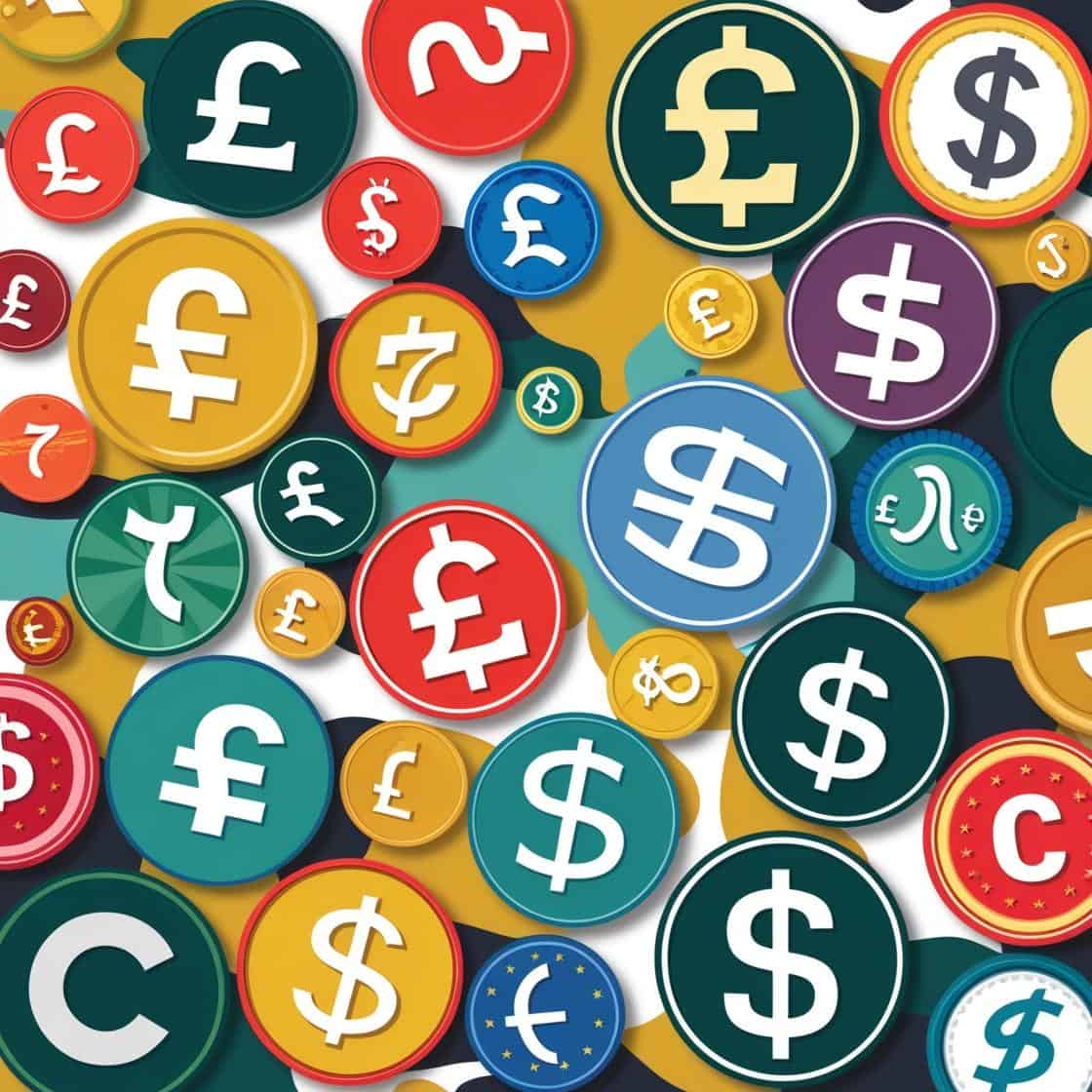
different type of currency symbols from around the world eg and

Figuring out how much to spend on a website can feel like a confusing maze of numbers and options. Truth is, costs can vary wildly based on what you’re aiming for. Let’s clear the fog a bit by breaking it down based on different goals you might have.

For a personal or small business website, you’re looking at around $200 to $300 a year. This usually includes the cost of your domain and hosting. If you’re opting for a little more with additional features like more storage or premium templates, plan for a bit extra.

When setting up an e-commerce site, that budget bumps up. Platforms like Shopify start around $39 monthly, ready with tools to sell and manage goods online. On the other hand, if you’re leaning towards WordPress with WooCommerce, it might initially look cheaper, but remember that costs add up with required plugins and extra setup work.

If you’re dreaming big with a custom-designed website, prepare your wallet for a bigger hit—anywhere from $2,000 upwards depending on what you need and if you’ll hire professionals. This option gives you exactly what you want but involves more upfront planning and investment.

Knowing these costs upfront lets you plan better, ensuring you’re aligning your effort and spending with your goals. Start with what feels right and expand as you grow—this web journey should fit both your vision and budget.

For those of you interested in exploring platforms, here’s a great beginner comparison guide from Website Builder Expert.

If you’re working on a really tight budget, it’s worth keeping an eye out for deals on domain names and hosting—especially around Black Friday or seasonal sales. Some platforms also offer bundle deals for the first year that can save you a good chunk upfront.

And Finally...

Creating a website is a bit like crafting a custom-fit suit; it’s an investment in your future that can evolve with you. Picking the right platform, understanding costs, and deciding what features matter most are all part of the experience. The beauty here is that the digital landscape is flexible, letting you start small with free or basic plans and scale up as your needs and budget grow.

If you’re beginning, exploring platforms like Wix or WordPress for their mix of ease and flexibility can set a solid foundation. Many people find starting modestly with these options allows them the room to learn without pressure. Once you find your rhythm and see where your site needs to go, upgrading becomes more of a strategic step rather than a necessity.

Think about your website like growing a garden; it needs care, sometimes investment, but ultimately, it should be something that reflects you and your ambitions. Stay tuned to the changes in your needs and those of your audience, and adjust your platform and features to find the right balance.

Whether it’s a personal blog, a professional site, or a bustling online store, the key takeaway is to choose a path that complements your unique objectives. As your journey unfolds, keep adapting and evolving your online presence, making sure it always resonates with who you are and what you’re about.

If you’ve been wondering what is a website platform or how to choose the right one, I hope this guide has made things feel a bit less overwhelming. Starting a website can feel like stepping into a whole new world, but you’re not alone. It’s all about finding the right platform that works with your budget, your goals, and how hands-on you want to be.

Have you already picked a platform? Maybe you’re still weighing up the options? I’d love to know where you’re at. Drop a comment below and share your thoughts—whether you’re stuck, excited, or somewhere in between. Your insight might just give someone else the nudge they need to get started too.

Have you picked a website platform yet, or are you still weighing up your options?

Maybe you’ve already tried one and have a few thoughts to share? I’d genuinely love to hear where you’re at.

Drop your questions, experiences, or even a bit of friendly advice in the comments below—your input could really help someone else who’s just starting out on their website journey.

Here’s a little transparency: My website contains affiliate links. This means if you click and make a purchase, I may receive a small commission. Don’t worry, there’s no extra cost to you. It’s a simple way you can support my mission to bring you quality content.”


How to write good content for a website?

How to write good content for a website?

Content is the backbone of any successful website, acting like the glue that holds everything together. It’s what pulls visitors in, keeps them engaged, and convinces them to stay a little longer.

If you’ve ever wondered how to write good content for a website, it starts with providing real value to your readers—not just filling up space.

Putting people first means creating content that’s relevant, informative, and engaging. Ask yourself, ‘Who am I writing this for?’

Knowing your readers makes it easier to produce stuff they’ll actually care about. Try to answer their questions, solve problems, or provide some form of benefit. When you focus on helping others first, everything else tends to fall in place.

The concept of E-E-A-T, which stands for Experience, Expertise, Authoritativeness, and Trust, is instrumental in content creation.

These guidelines ensure your content isn’t just good, but great. Experience ensures you’re writing from a place of understanding, while expertise reinforces that you know your stuff. Authoritativeness gives content credibility when your readers see your confidence, and trust is earned when your audience feels your honesty and sincerity.

balancing Experience Expertise Authoritativeness and Trust

Balancing quality content with SEO practices might seem like a dance, but it’s doable with the right mindset. While keyword research and metadata are important, never let SEO priorities overshadow the human element of content. It’s all about synergy: making sure your content is seen by those who can benefit from it most, without compromising the value of what you’re delivering. Trust me, you’ll win big by keeping your content grounded in genuine, reader-first principles.

How to Write Good Content for a Website: Putting People First

Creating content from ground zero can feel like a tall order, but breaking it down to basics makes it all manageable. The first thing?  – Know your reader. Are they tech-savvy millennials or maybe busy working parents? Understanding who they are helps tailor content that’s not just relevant but genuinely useful.

Research might sound like a snooze fest, but it’s where the magic begins. Take a deep dive into what your audience is talking about, their pain points, and trending topics. The internet’s your playground—blogs, forums, even social media can give valuable insights into what matters to people.

Now, tone and style. It’s like deciding how you’d talk to a friend versus a professional setting. Casual or formal? Serious or lighthearted? Match your tone to the audience’s expectations and industry norms to make your content relatable and engaging.  For example:
a financial advisor might use a more formal tone (‘Let’s explore your investment options’) compared to a personal blog (‘Let’s talk money and what it really means for your future’).

It’s easy to overlook, but spellcheck and grammar are like the polish on a freshly waxed car. No one wants to read content that’s sloppily put together. Clean, error-free writing shows professionalism and aids in clearly communicating your message. Trust me, it matters, even if it’s just subconsciously.

At the heart of it, remember writing isn’t just about putting words in order. It’s about showing up for your readers every time. Craft your content to meet their needs, answer their questions, and maybe even bring a smile to their face. After all, you’re not just creating content; you’re building relationships.

Structure Your Content for Clarity and Engagement

strong foundations

A solid structure is to good content what a strong root structure is to a tree.

Start with a killer headline that grabs attention. Throw a hook in there to pull readers deeper into your story or article.

Open with an introduction that tells them what they can expect without giving the whole game away.

Subheadings and bullet points are like the road signs on a long drive—they keep readers on track and make all that text easier to digest. Breaking up content into short, snappy sections helps folks scan for what they’re interested in, especially if they’re pressed for time.

Paragraphs should be like a conversation, flowing naturally from one idea to the next. Each one should build on the last to tell a coherent story that holds the reader’s interest. It’s all about telling a tale, whether that’s explaining a concept or walking someone through a how-to guide.

Don’t forget about multimedia elements like images, videos, or infographics. These aren’t just eye candy—they can reinforce your message and make your content more dynamic. Plus, they can break up large blocks of text, making the whole experience a bit more engaging.

Remember, the ultimate goal is to have your readers stick around, enjoy, and hopefully learn something. Clear, well-structured content keeps them coming back, page after page. It’s all about giving them the best experience possible.

The 7-Step Process to Content Creation Mastery

  • Brainstorming

Kicking off with brainstorming, this is where you let creativity run wild. No judgments or restrictions, just ideas flowing freely. Whether it’s rough notes or detailed outlines, aim to capture every thought no matter how out-there it might seem. Often, the best ideas come from the least expected places.

  • Research

Once you’ve got a solid pile of ideas, research steps in. This is where facts meet creativity. Dig deep into credible sources to back up your content. This isn’t just about data; it’s about connecting the dots in a way that makes sense for your audience.

  • Create An Outline

Next up, creating an outline provides the backbone for your content. Think of it as the map guiding your journey. It helps organize your thoughts and ensures a logical flow, keeping you on the right track from start to finish.

  • The Initial Draft

Writing the initial draft is the part where you just go for it. Don’t worry too much about getting everything right the first time. The aim is to get all your thoughts down on paper or screen. You can polish it later.

  • Reviewing And Editing

Reviewing and editing are where you refine your work into something truly great. Look out for clarity, coherence, and grammatical mistakes. This is your chance to tweak and adjust until your content is smooth and persuasive.

Incorporating SEO best practices comes next. This isn’t about cramming keywords but seamlessly integrating them to ensure your content is discoverable without losing its authentic voice. SEO shouldn’t feel like a chore but rather an extension of good writing practice.

  • Publishing And Monitoring

Finally, publishing and monitoring rounds off the process. Once your content goes live, keep an eye on how it performs. Feedback, reader engagement, and analytics offer insights that can help fine-tune future content efforts.

Choosing the Best Content Types for Your Website

Once you’ve got the hang of writing, selecting the right type of content for your website is key. Every format serves a different purpose and audience, so mixing things up can keep your site fresh and engaging.

Articles and blogs are classics for a reason. They’re versatile, allowing you to explore topics, share news, or provide advice. Plus, regular updates keep search engines happy, boosting your site’s visibility.

How-to guides and tutorials are fantastic for adding value. Whether you’re teaching a new skill or solving a common problem, these pieces establish your site as a go-to resource. When people trust you for guidance, they keep coming back.

Infographics pack a punch by presenting data visually. They stand out on a page and are shareable, making them perfect for spreading your message across social media. A good infographic can explain complex ideas quickly and clearly.

User-generated content brings authenticity to your site. Encouraging reviews, testimonials, or content from your audience can create a community vibe. It shows you value their opinions and experiences, building stronger connections.

infographics

Tailoring your content to industry specifics can set your site apart. For example, a tech website might benefit from detailed product reviews, while a fashion site could thrive on trend reports and style tips.

Remember, the world of content is diverse. The best strategy is to keep experimenting with different formats to see what resonates most with your audience. Stay adaptable and open to change, and your website will continue to evolve and grow.

And Finally...

Writing content for your website doesn’t have to feel overwhelming. Once you understand how to write good content for a website—content that speaks to your audience, answers their questions, and shows a bit of your personality—it becomes a whole lot easier (and even a bit fun!).

So, what are you working on at the moment? Are you writing your first blog post, tweaking your homepage, or still figuring out what your audience wants to hear? I’d love to know where you’re at in your content journey. Drop your thoughts, questions, or even just a friendly hello in the comments—I always enjoy hearing how others are getting on.

You never know, your comment might be exactly what someone else needed to read today.

Here’s a little transparency: My website contains affiliate links. This means if you click and make a purchase, I may receive a small commission. Don’t worry, there’s no extra cost to you. It’s a simple way you can support my mission to bring you quality content.”

What is a secure website?

What is a secure website?

What Is a Secure Website and Why It Matters

If you’ve ever wondered what is a secure website, you’re not alone. In simple terms, it’s a website that protects your information from being seen or stolen by people who shouldn’t have access to it.

Whether you’re shopping online, logging into your email, or building your first website, security is what keeps your data private and safe. Let’s explore what really makes a website secure — in plain English.

The Technology Behind a Secure Website

At the heart of every secure website is something called HTTPS, which stands for HyperText Transfer Protocol Secure.

You might recognise it from the little padlock icon in your browser’s address bar. That “S” at the end means the site uses encryption, which scrambles information as it travels between your computer and the website. If hackers tried to read it, it would look like nonsense.

To make HTTPS work, websites need an SSL certificate (Secure Sockets Layer). Think of it as a digital ID card that proves a site is legitimate. It tells your browser, “Yes, this website is who it says it is.”

Today, most websites actually use an updated version called TLS (Transport Layer Security), but many people still call it SSL out of habit.

A good way to picture it:
SSL is like sealing a letter in an envelope before posting it — only the right person can open it.

Why Having a Secure Website Is So Important

When you ask what is a secure website and why it matters, the short answer is trust.

A secure website:

  • Protects visitor data from hackers

  • Prevents fraud or identity theft

  • Builds confidence with your audience

  • Helps your website rank higher on Google

If you’re running a small business, blog, or shop, people are far more likely to buy from you or share their details when they see that little padlock in the address bar.

Simply put — security builds credibility.

fraudster trying to hack website and personal details

How to Create a Secure Website (Step by Step)

Setting up a secure website doesn’t need to be complicated. Here’s a beginner-friendly checklist to get started:

  1. Get an SSL Certificate
    You can buy one from trusted providers like Namecheap or GoDaddy, or even get one free from Let’s Encrypt. Once it’s installed, your site will show HTTPS and display the padlock icon.
  2. Keep Everything Updated
    Update your website platform, plugins, and themes regularly. Outdated software is like leaving the door unlocked — it’s how hackers sneak in.
  3. Use Strong Passwords and Two-Factor Login
    Mix letters, numbers, and symbols in your passwords. Add two-factor authentication for extra protection.
  4. Back Up Your Site Often
    Regular backups mean you can restore your website quickly if something goes wrong.
  5. Run Security Scans
    Tools like Sucuri or Wordfence (for WordPress users) can check for weak spots before hackers do.
  6. Be Careful with Plugins and Themes
    Only download from trusted sources. Free isn’t always safe if you don’t know where it came from!

How to Tell If a Website Is Secure

Now that you know what a secure website is, it’s just as important to spot whether other sites you visit are safe.

Here’s what to look for:

  • HTTPS at the start of the web address

  • A padlock icon next to the URL

  • A valid SSL certificate (click the padlock to check details)

  • A visible privacy policy and contact page

  • Professional design and no spelling mistakes (scam sites often look rushed)

If you see warnings like “Not Secure” or an expired certificate message, be cautious before entering any personal information.

What is a secure website?

Good to Know: Security Helps SEO Too

Search engines love websites that are safe. Google now gives secure sites a small ranking boost, and browsers like Chrome even warn visitors if a site isn’t using HTTPS.

So, when you’re building your website, choosing security isn’t just smart — it’s good for visibility too.

A helpful, non-technical guide worth reading is  Google Security — it explains website security in simple language.

And Finally…

Security might sound like a dry topic, but at its heart, it’s about one thing — trust.

When you build or visit a secure website, you’re creating a safer internet for everyone.
So next time you’re browsing or setting up a site, look for that little padlock — it’s a small symbol with a big purpose.

Have you ever added SSL to your own website, or spotted one that wasn’t secure?
Share your experiences in the comments — every story helps someone else learn.

Here’s a little transparency: My website contains affiliate links. This means if you click and make a purchase, I may receive a small commission. Don’t worry, there’s no extra cost to you. It’s a simple way you can support my mission to bring you quality content.”
Why Website Navigation Is Important In Web Design

Why Website Navigation Is Important In Web Design

When you’re building your first website, it’s easy to get excited about colours, photos, and layouts. But one of the most important — and often forgotten — parts of web design is website navigation.

Think of navigation as your website’s map. Without it, visitors can get lost and leave. It’s like walking into a huge shopping mall with no signs — frustrating, right? Good navigation helps people explore comfortably and find what they’re looking for with ease.


What Is Website Navigation?

In simple terms, website navigation is the set of menus, buttons, and links that guide people around your site. It’s what connects all the pages and helps visitors move smoothly from one topic to another.

You’ll usually find three main types:

  • Top-level navigation – your main menu, usually at the top of the page, with links like Home, About, Services, and Contact.
  • Sidebar navigation – secondary menus that show extra pages, blog categories, or related links.
  • Breadcrumbs – those little “you are here” links near the top of a page that help visitors retrace their steps.
Why website navigation is important in web design

Together, these elements shape the journey people take through your website.

If you’d like to learn more about website navigation I have a lesson including a video which you can find here

Why Website Navigation Matters

Good website navigation does more than make your site look neat — it makes it usable. When visitors can easily find what they need, they stay longer, explore more, and are more likely to trust your brand.

Clear menus also help search engines like Google understand your content and how it connects. That’s good news for your SEO.

Here’s the short version:

  • Simple navigation keeps visitors happy

  • Search engines love clear structure

  • Better structure = better visibility online

If you’d like to dig deeper into best practices, the Nielsen Norman Group’s menu design checklist is a brilliant resource written by usability experts.

The Role of Website Navigation in User Experience (UX)

Website navigation isn’t just about moving around — it’s part of the overall user experience, often called UX. It affects how visitors feel when they use your site.

Here’s how good navigation improves UX:

  • Clarity — Labels like Home, Shop, or Contact are clear and familiar.

  • Consistency — Menus should look and behave the same on every page.

  • Accessibility — Navigation should work for everyone, including those using screen readers or assistive tools.

Good website navigation feels effortless. Visitors shouldn’t have to stop and think about where to click next — they should just know.

Remember, every website is unique, but the fundamentals of website navigation give users a consistent experience no matter where they land.

Getting it right can be the difference between someone staying to explore—or clicking away in confusion.

Best Practices for Creating Website Navigation

Creating simple, effective navigation isn’t hard, but it does need some thought. Follow these friendly, beginner-approved tips:

  1. Keep it simple and consistent.
    Use short, clear labels and stick to a structure that makes sense.
  2. Design for mobile users.
    On small screens, use a “hamburger menu” (three lines that open a menu). It keeps things tidy and easy to tap.
  3. Link to important pages.
    Add links between related posts or pages to help visitors (and Google) discover more of your content.
  4. Make it fast.
    Keep images and menus lightweight so your site loads quickly.
  5. Test it.
    Ask a few friends or beginners to explore your site. Watch where they hesitate — that’s where your navigation needs tweaking.
  6. Think of SEO.
    Search engines follow your links just like users do. Clean navigation tells Google which pages are most important.

How Good Navigation Builds Trust

Why website navigation is important

Clear website navigation builds confidence.
When visitors can move around your site easily, it tells them you’re organised, professional, and care about their experience. It’s one of the quiet ways your website builds trust before anyone even reads a word.

Even small details — like having a “Contact” link that’s easy to find — can make a big difference.

And Finally..

If you’re still learning web design step by step, remember that website navigation is one of those small things that has a big impact. It shapes how people feel about your website and whether they decide to stay.

So, how’s your navigation working right now?
Do visitors seem to find what they need easily, or are there parts that could use a little tidying?

Share your thoughts in the comments — I’d love to help you make your site even more user-friendly, one click at a time.

Here’s a little transparency: My website contains affiliate links. This means if you click and make a purchase, I may receive a small commission. Don’t worry, there’s no extra cost to you. It’s a simple way you can support my mission to bring you quality content.”
How to choose a domain name for my website

How to choose a domain name for my website

A domain name is like your address on the internet. It’s what people type into the search bar to find you — your very own place online. Whether you’re building a business website, starting a blog, or creating a space to share your ideas, taking the time to choose a domain name that suits you is an important first step.

Think of your domain name as the first impression someone has of your online home. It tells visitors who you are, what you do, and what they can expect. So choosing a name thoughtfully — not rushed — sets a strong foundation.

Understanding Different Types of Domain Names

Not all domain names are the same. There are a few types you’ll come across:

  • .com – the most common and widely trusted

  • .co.uk / .ca / .au – country-specific names for local businesses

  • .shop / .tech / .studio – newer options if your website has a particular theme

There’s no “right” one — the best choice depends on who you want to reach and how you want to present your brand. Beginners often start with .com simply because it’s familiar and easy for people to remember.

word art consisting of domain names words eg .com etc

Choosing the right domain name is more important than it might seem at first glance. A good domain name should be easy to remember and reflect what your website is all about. It’s your brand’s first impression and plays into your site’s SEO, making it easier for people to find you on search engines. So, investing time to choose wisely is definitely worth it.

How to Choose A Domain Name That Suits You And Your Business

When you’re ready to choose a domain name, start by thinking about what your website is about. What do you want people to remember after they’ve visited?

Here are some gentle guidelines:

  • Keep it short and simple
    Short names are easier to type and less likely to be misspelled.


  • Make it easy to say out loud
    If you can tell someone your website name without having to spell it, that’s a great sign.


  • Reflect your purpose
    Your name should give people a clue about what you offer.
    (For example: BrightBakery.com, HillsideDogWalking.co.uk, JackiesCraftRoom.com)


  • Avoid numbers and dashes if possible
    They can make your domain harder to remember.


Once you’ve got a few name ideas, it’s time to check if the one you want is available. Many beginners fall in love with a name only to discover someone else already owns it — this is totally normal, so don’t be discouraged.
Just tweak, try again, and stay patient.

There are also helpful tools (like Namecheap or DomainWheel,) that will suggest domain names based on the keywords you type in. These tools can be wonderful when your mind has gone a bit blank.

Another way is to head over to Wealthy Affiliate.  There have training modules on practically every aspect of building a business including tools for finding the perfect domain name.

How Do You Buy a Domain Name?

Buying your domain is much easier than you might think.

Here’s the simple step-by-step:

  1. Visit a domain registrar (Namecheap, GoDaddy, IONOS, Google Domains). Or use the facility at Wealthy Affiliate
  2. Type in the domain name you want.
  3. If it’s available, add it to your cart.
  4. Decide if you want domain privacy protection (this hides your personal details — most beginners do want this).
  5. Complete the purchase.
How to choose a domain name

And that’s it — you now own your very own space online.

A gentle tip:
Turn on auto-renew so you don’t accidentally lose your domain later. Many beginners forget this, and it’s heartbreaking.

Your Domain Name Can Grow With You

If your business or website grows, your domain name can grow with it too. You’re not locked in forever. Many people start simple and rebrand later when they have more clarity — and that’s perfectly okay.

What matters most right now is choosing something that feels like you, is easy to type, and supports the direction you’re heading.

And Finally...

Choosing a domain name might feel overwhelming at first, but that just shows you care about getting it right. And that’s a good thing.

You’re not behind.
You’re learning.
And you’re taking this one step at a time — which is exactly the right pace.

So tell me —
Are you currently brainstorming, or do you already have a few name ideas you’re thinking about?
Share in the comments, and I’ll happily help you choose.

You’re not doing this alone.

Here’s a little transparency: My website contains affiliate links. This means if you click and make a purchase, I may receive a small commission. Don’t worry, there’s no extra cost to you. It’s a simple way you can support my mission to bring you quality content.”