If you have a website, it’s natural to wonder whether it’s doing what you hoped it would do.
Many people worry that “checking” a website means technical tests, special tools, or judging themselves harshly. It doesn’t.
In this guide, we’ll look at how to check your own website in a calm, practical way — without jargon, pressure, or fear of doing something wrong.
You don’t need technical knowledge.
You don’t need to change anything today.
You’re simply taking a gentle look.
What Does It Mean To Check Your Own Website?
Before we go any further, let’s slow this right down.
When people talk about checking a website, they often use words like audit or performance. Those words can sound intimidating.
In plain terms, to check your own website simply means:
-
looking at it with fresh eyes
-
noticing what feels clear
-
noticing what feels confusing

Think of it like walking through your own home as if you were visiting for the first time. You’re not judging. You’re just noticing.
This kind of gentle check is often called “how to audit your website for free” online — but really, it’s just paying calm attention.
Why Checking Your Website Can Feel Uncomfortable
Many midlife and older adults worry they’ll “break something” or discover mistakes.
That feeling is very common — and very human.
If you didn’t grow up with the internet, websites can feel permanent or fragile, as if one wrong move might undo everything. In reality, most website checks involve no changes at all.
You’re allowed to look.
You’re allowed to be unsure.
Nothing bad happens just because you notice something.
Understanding this helps make checking your own website feel safer and more manageable.
Start With The Homepage
If you’re going to check one place, start with your homepage.
Your homepage is like the front door of your website. It doesn’t need to explain everything — it just needs to help people feel oriented.
When you look at it, ask yourself:
-
Is it clear what this site is about?
-
Is it clear who it’s for?
-
Is it clear what someone can do next?
If you can answer those questions easily, you’re already doing well.
This step alone is a big part of how to check your own website work.
A Simple Checklist You Can Use
Instead of a formal “website audit checklist”, here’s a short, gentle list you can work through.
Take your time. You don’t need to answer everything.
-
Can I read the text comfortably?
-
Do the menus make sense to me?
-
Can I find a way to contact the site owner?
-
Does the site feel calm or busy?
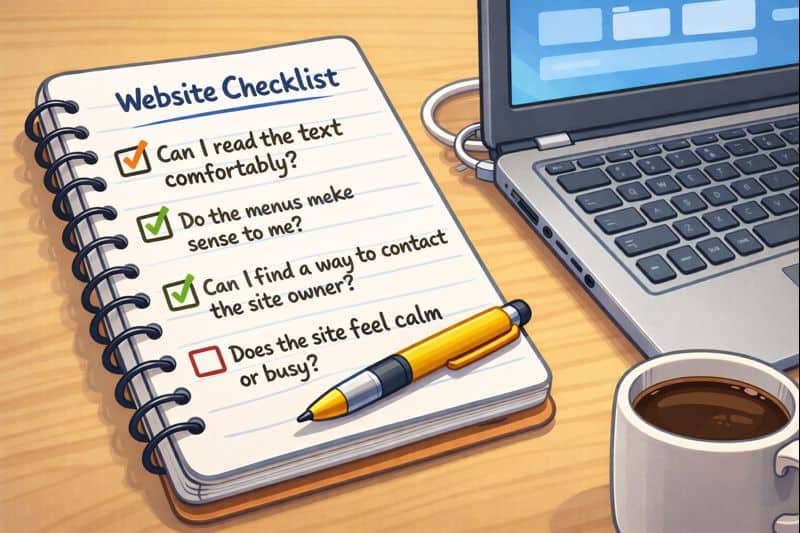
This kind of list helps you check your own website without turning it into a test.
There are no right or wrong answers — only observations.
Checking Your Website Performance Without Numbers
You may hear people talk about “checking your website performance”.
For beginners, this does not mean speed scores, graphs, or technical results.
In human terms, performance simply means:
-
Does the site load without fuss?
-
Does it feel steady rather than jumpy?
-
Can someone move around without getting lost?
If the site feels calm and usable to you, that’s a strong sign.
This approach keeps checking your own website grounded in real experience, not statistics.
What You Can Leave Alone For Now
One of the most important parts of checking a website is knowing what you don’t need to touch.
You can safely ignore:
-
technical settings
-
advanced tools
-
design trends
-
anything you don’t understand yet
Learning later in life works best when you protect your confidence.
If something feels too much, it’s perfectly fine to leave it for another day. That, too, is part of learning how to check your own website simply.
Learning At Your Own Pace
Some people like to learn website basics with structured, step-by-step guidance rather than guessing their way through.
For example, Wealthy Affiliate is one platform that teaches websites slowly and clearly, without assuming technical knowledge. It’s not something you have to use — but for some learners, having everything explained in order can feel reassuring.
What matters most is choosing a pace that suits you, not the internet.
If you’d like to learn more about the internet (for beginners) I have written more on the subject HERE
And Finally…
If checking your website has ever felt daunting, I hope this guide has made it feel a little more approachable.
You don’t need to fix everything.
You don’t need to be confident yet.
You’re allowed to learn slowly.
If you’d like to share:
-
what felt unclear
-
or what you’d like help understanding next
you’re very welcome to leave a comment.
There are no silly questions — and no pressure to respond.
Here’s a little transparency:
My website contains affiliate links. This means if you click and make a purchase, I may receive a small commission. Don’t worry, there’s no extra cost to you. It’s a simple way you can support my mission to bring you quality content.